 Homeband
Turn the devices you already own into Wi-Fi speakers.
Homeband plays the sound from one of your devices on the others, over your own Wi-Fi. The old phone in the drawer, the tablet nobody uses, the laptop on the desk: they all become speakers.
Coming first to Google Play, then computers, iPhone and iPad. The button opens an email to contact@homeband.app: tell us your devices, and we'll write once, when it's out for them.
Free for one speaker · No account · Phones, tablets and computers
Ways to use it
The same app runs on each of your devices, and any of them can be a speaker.
-
Free
A speaker in another room
Play your phone's music on an old phone or tablet in the kitchen, the bathroom or the garage.
Phone → phone or tablet
-
Free
Your phone as your PC's speaker
Your computer's sound on your phone: for a desk with no speakers, or to keep listening from the next room.
Computer → phone
-
Pro
Every phone at the party
All the phones in the room play the same song, in time with each other, for a bigger sound.
Phone → every phone
-
Pro
Music in every room
One song through the kitchen, the bedroom and the living room at once, from the phone in your pocket.
Phone → every room
-
Free
Your old stereo, on Wi-Fi
Plug an old phone into the hi-fi's input, or pair it with a Bluetooth speaker, and play to it from anywhere in the house.
Phone → hi-fi
-
Free
Wireless headphones for your PC
Your computer's sound in the earbuds connected to your phone. Watch late without waking anyone.
Computer → phone and earbuds
-
Pro
Movie night
Phones around the sofa, with the film's sound spread across them, one channel each. It's your stereo spread around the room, not a true surround mix.
Phone or computer → phones around you
-
Pro
A stereo pair
Two phones as a left and a right speaker.
Any device → two phones
-
Free
Your phone, through your PC's speakers
Play your phone's music through the speakers or the hi-fi plugged into your computer.
Phone → computer
-
Free
An iPad as a speaker
An old iPad or iPhone makes a good speaker for the bedroom, the kitchen or the bathroom.
Phone or computer → iPad or iPhone
How it works
Two minutes the first time. After that, they find each other.
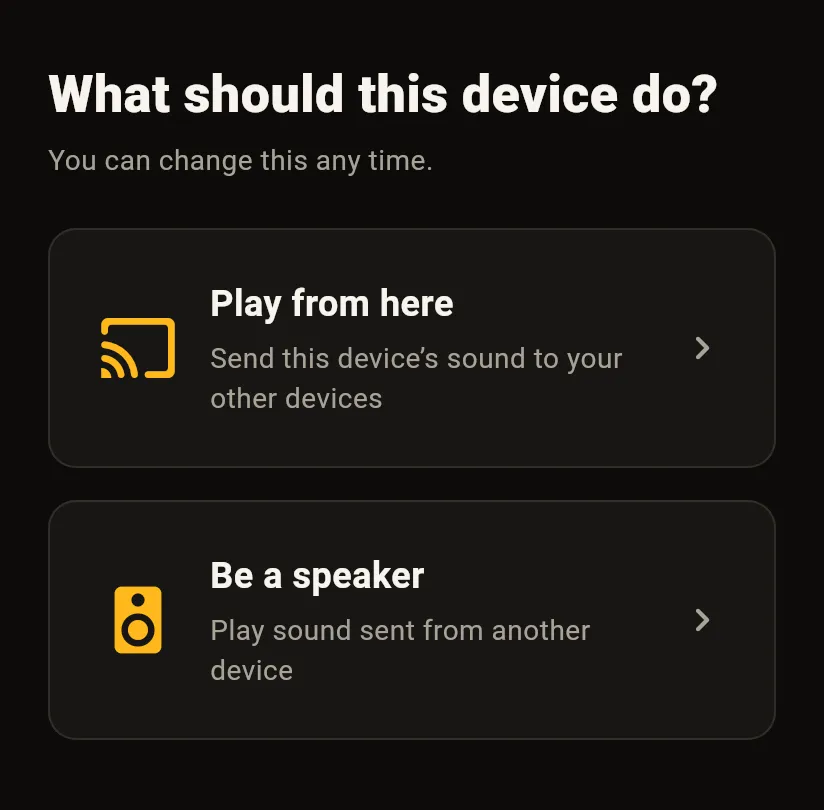
- On the device that will be the speaker, open Homeband and choose Be a speaker.
- On the device with your music or film, choose Play from here.
- Scan the code the speaker shows. You only do this once for each speaker.
- Play something in any app. It comes out of the speaker.
One room, or every room
Free
Play to one speaker at a time, for as long as you like, with no ads.
Homeband Pro
One purchase, no subscription. Play to every speaker you have at once, or make two devices a stereo pair. Pro can also spread your sound across 5.1 or 7.1, with a device on each channel: that's your stereo spread around the room, not a true surround mix.
Compare Free and ProIt looks after itself
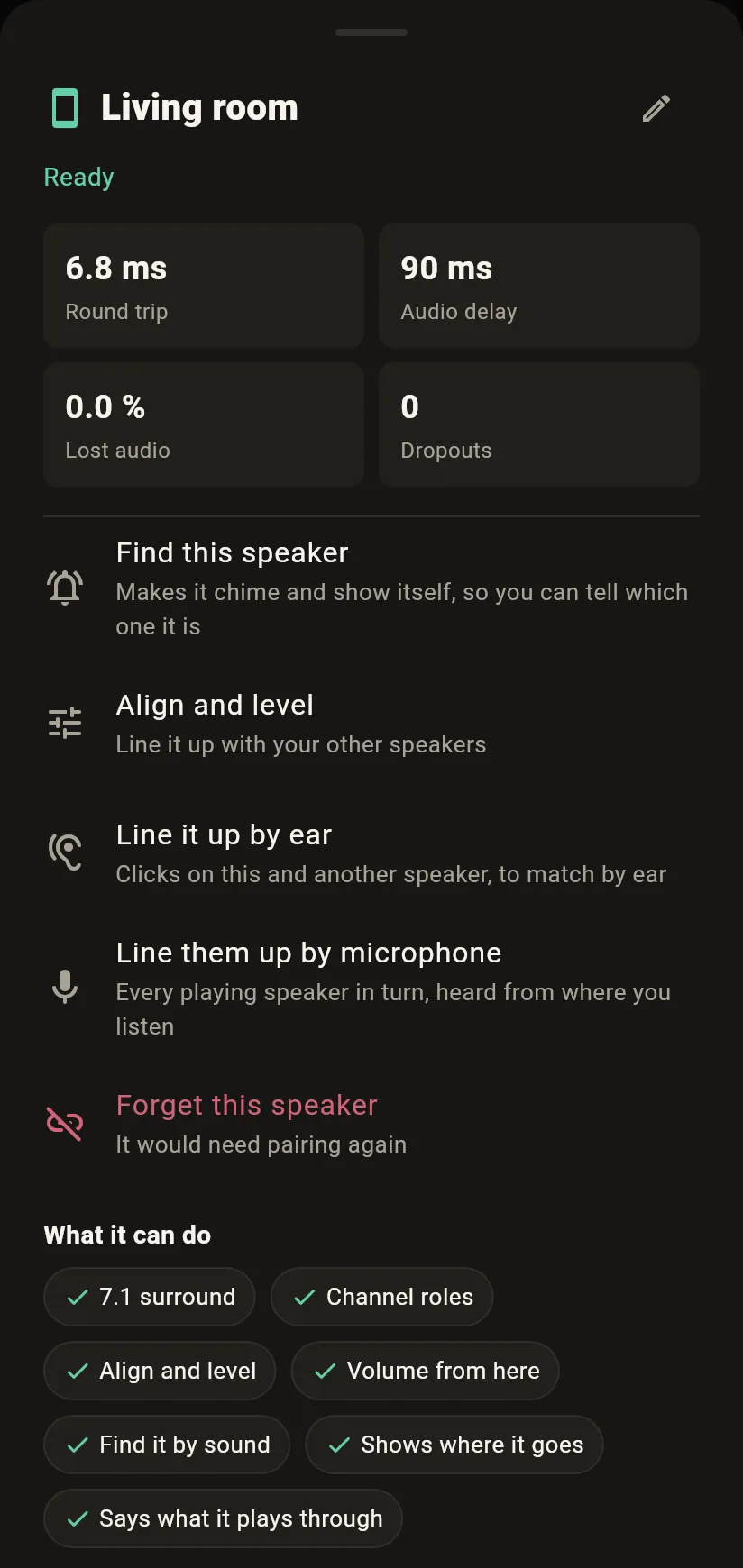
You can see which speakers are online before you press play, and how good each connection is. If one drops off the Wi-Fi, it comes back by itself, and the sound keeps going with the screen off.
Not sure which phone is the Kitchen? Make it chime. Two speakers in one room slightly out of step? Set a delay and a level for each, or let your phone's microphone line them up for you.
For video, the app tells you how much to delay the picture so the sound matches. And the quality is yours to choose, from 96 to 256 kb/s.
Your sound stays in your home
Sound goes straight from one of your devices to another, over your own Wi-Fi. It doesn't pass through a server, and there's no account to make. Every packet is encrypted, and devices pair once, so nobody else on your network can listen in or play through your speakers.
The app has no ads and no analytics. On Android, the code scanner uses Google's ML Kit, and purchases go through Google Play. The privacy policy says what that means.
Good to know
- On Android, being a speaker needs Android 8.1 or later, and sending a phone's sound needs Android 10 or later.
- iPhones and iPads can be speakers, but not the source: Apple doesn't let an app send other apps' sound.
- Android shows its own prompt before sound is sent, and only sound is captured, never the screen.
- Android lets apps opt out of being captured, so a few apps' sound can't be sent.
- All your devices need to be on the same network. Some guest and office networks stop devices talking to each other, and Homeband won't work on those.
- Speakers play to one shared clock. For two in the same room, a short line-up with the source's microphone takes out the last few milliseconds.
Questions people ask
What is Homeband?
Homeband is an app that plays the sound from one of your devices on your other devices, over your own Wi-Fi. It turns the phones, tablets and computers you already own into Wi-Fi speakers, with no account, no cloud and no extra hardware.
Can I turn an old phone into a Wi-Fi speaker?
Yes. Any Android phone or tablet running Android 8.1 or later can be a speaker. Open Homeband on it, choose "Be a speaker", and leave it on Wi-Fi, plugged in or charged.
Can I use my phone as a speaker for my PC?
Yes, once the computer version is out: Linux comes next, then Windows and Mac. Your phone then plays whatever the computer plays, and with earbuds connected to the phone, it works as wireless headphones for the computer. The first release is for Android, where phones and tablets play to each other.
Does it use Bluetooth?
No. It uses your Wi-Fi network, and your sound doesn't go over the internet.
Do I need an account?
No. There is no sign-up and no sign-in. Devices pair with each other directly, with a code scan or a six-digit code.
Can several phones play at once?
Yes, with Homeband Pro, a one-time purchase. Playing to one speaker at a time is free, with no time limit.
Is there a delay?
Yes, around a tenth of a second or more. That's fine for music, and for video once you've matched it, which the app helps with. It isn't suited to playing an instrument live.
Is it secure?
Your sound is encrypted, and goes straight from one of your devices to another on your own network. Devices pair once, so nobody else on your Wi-Fi can listen in or play through your speaker.
Be the first to hear when it's out
Free for one speaker, for as long as you like, with no account and no ads. Homeband Pro, one purchase, plays to all of them at once.
Coming first to Google Play, then computers, iPhone and iPad. The button opens an email to contact@homeband.app: tell us your devices, and we'll write once, when it's out for them.